Creating your own templates
See the standard instructions for a general guide on how to create your own spreadsheets for entering sales cash batches.
Spreadsheet Design
There are three basic structures for entering data:
In all cases batch number and date are header cells
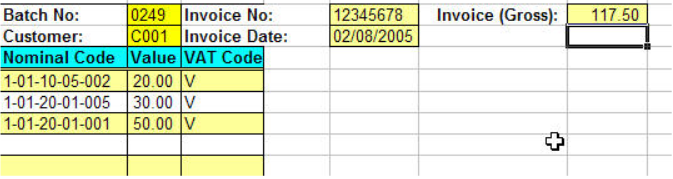
Multiple Allocations to a Single Cash Item
The template should have single Excel cell customer, cash item number and amount, and other header/detail ranges ranges, in the header of the sheet.
Allocation invoice number and amounts should be columns.
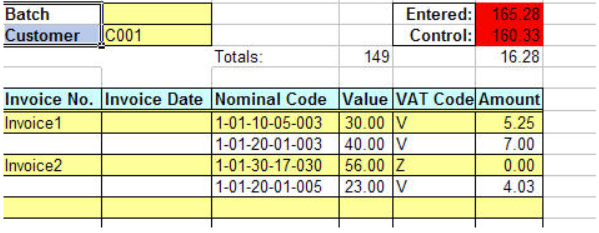
Multiple Cash Items and Allocations to a Single Customer
The template should have a single Excel cell customer range in the header of the sheet.
Cash item number and amount, allocation invoice number and amounts should be columns.
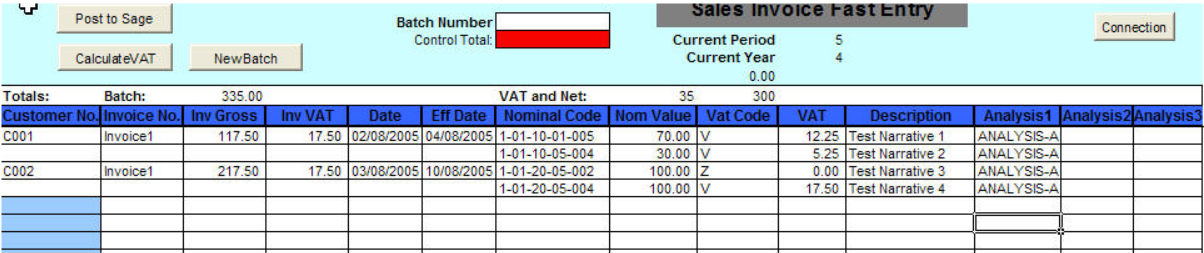
Multiple Customers, Cash Items and Allocations
Customer, cash item number and amount, allocation invoice number and amounts should be columns.