Downloading From Sage
There are two ways to download data from Sage.
- Extract ranges of supplier codes
- Extract details for codes already entered on the sheet.
Downloading a Range of Supplier Codes
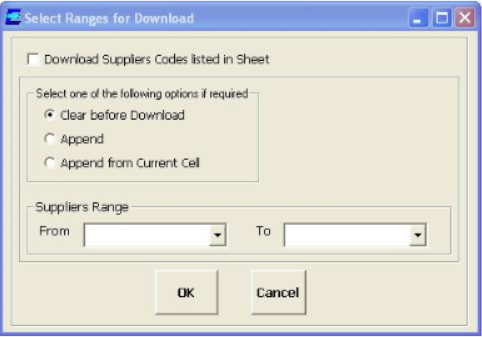
Select Suppliers > Download
Download Suppliers Listed in Sheet should not be ticked.
Select ranges of supplier codes to be downloaded from Sage . Also, one of the following options is also available:
- Clear Before Download: Clears down the data currently entered in the ranges before extracting the data from Sage.
- Append: This will find the first line in the ranges that has no data in or below it. The data will be extract to this and subsequent lines
- Append From Current Cell.
Download Codes Entered On the Spreadsheet
- Enter some stock codes onto a clear sheet.
- Select Download, then tick Download Suppliers Codes Listed in Sheet.
- Details for the suppliers code already entered on the sheet will be extracted from Sage.