Options
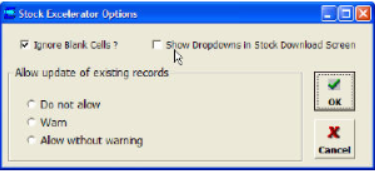
Ignore Blank Cells
- Used when updating. Blank cells can either be ignored, or processed as entered data.
- (In some cases, user may wish to blank out a value.) If this option is ticked, blank cells will be ignored.
- If it is not ticked and blank data is entered for a value which cannot be blank, an error will be displayed.
Allow update of existing records
This option controls the behaviour of Excelerator when a supplier code on the sheet being uploaded already exists.
- Do not allow - no updates will be allowed
- Warn - the user will be warned of the update.