Reversing Posted Journals
It is possible to use Excelerator to reverse posted journals, or groups of transactions.
This can be carried out from a standard template, or a custom template with the minimum of nominal_code and value ranges defined.
There are three stages:
- Extract the posted journal from Sage into the spreadsheet, reversing the sign of the postings
- Review the journal
- Post back into Sage using Excelerator
Downloading From Sage
Select NL Journals > Download
The following screen will be displayed:
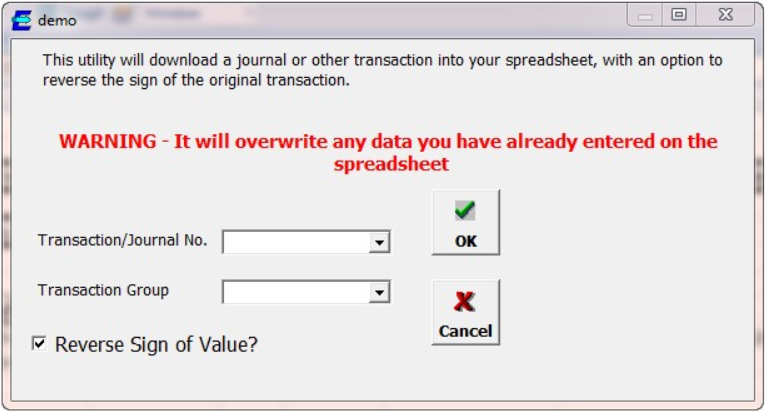
User can enter a journal number for a posted journal, for a transaction group number for other transactions.
A drop down listing of posted transactions may be available, depending on settings in Options .
If OK is selected, then details of the journal transactions will be extracted to the spreadsheet.
If the Reverse Sign of Value is ticked, then the sign of the postings will be reversed.
Review the journal and post back to Sage using the NL Journals > Post menu option.