Using the Sample Spreadsheet
Open the sample template.
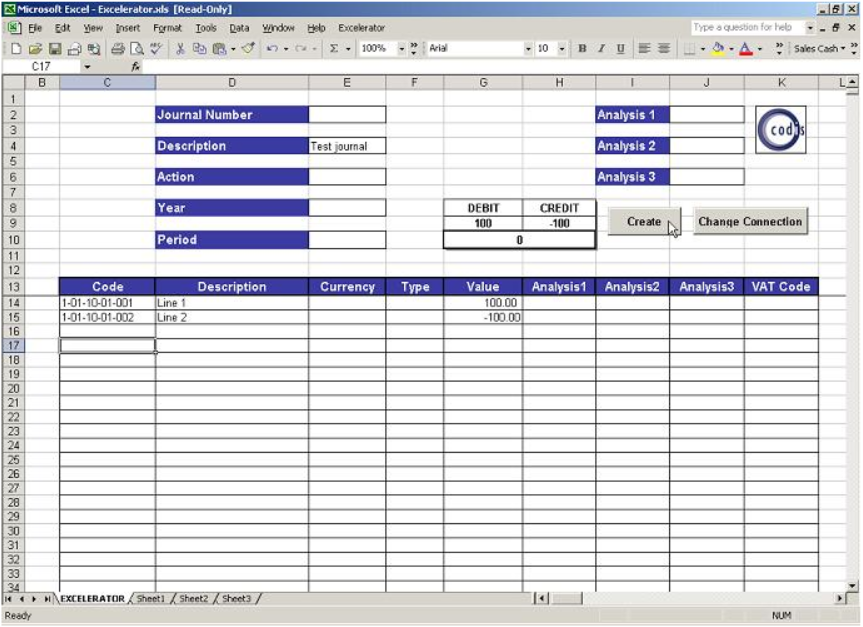
- The required information is then entered in the relevant fields.
- In this case, the posting codes were browsed on, and the line descriptions and values typed in.
- A journal description has also been entered.
After confirming that the journal is balanced, then click the "Create" button.
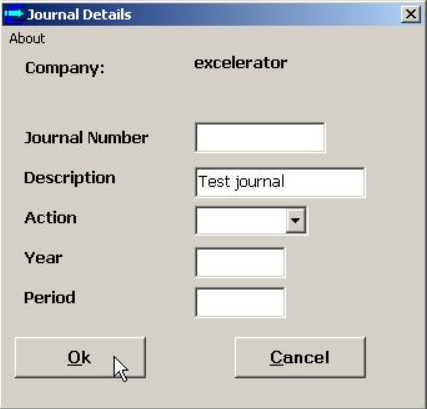
A windows appears which allows the header details to be viewed again and changed if necessary.
Click the "OK" button to create the journal.
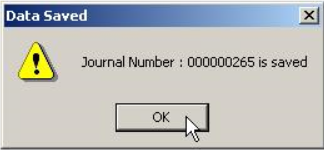
The generated journal number is confirmed.
Click "OK" to finish.
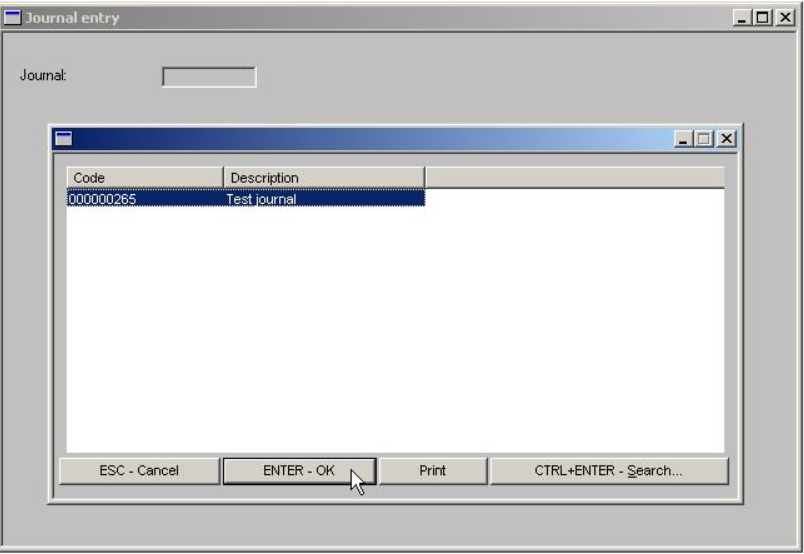
The Journal Entry option in Sage is accessed and F2 is used to browse on held journals.
The journal posted from Excelerator is selected, and "ENTER - OK" is clicked.
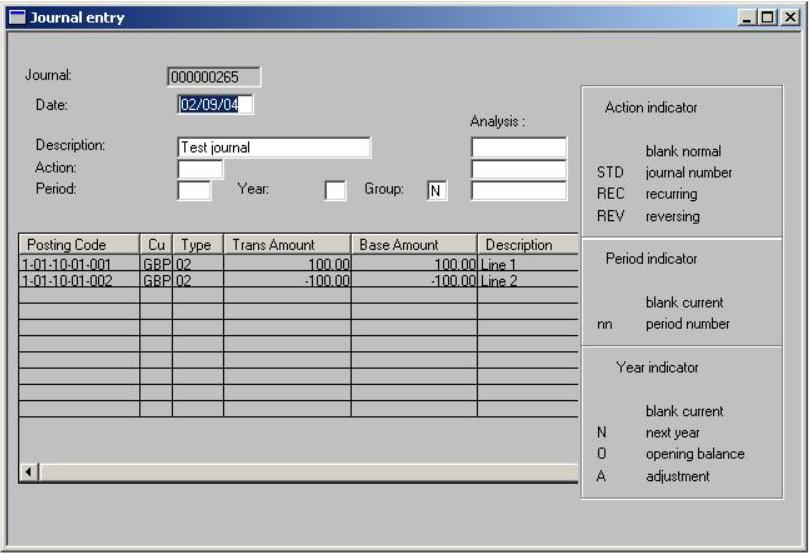
The details of the journal correspond with the information that was entered in Excelerator.