Downloads From Sage
SOP Downloads
Single Price List
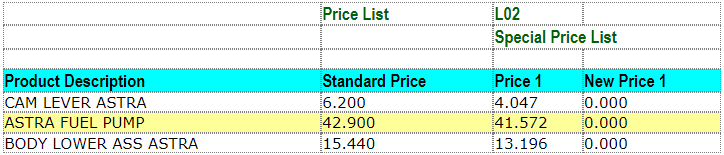
See below our sample template PriceListBasicSOP.xls Note:
- the price list code is a single cell at the top
- products are listed down the sheet
To populate this sheet, select the download option from the menu:
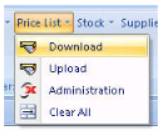
Excelerator will download the data onto the sheet.
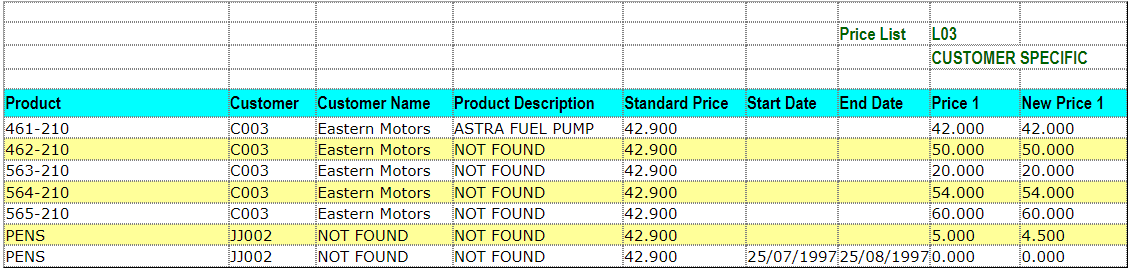
See below another sample temple PriceListSingleSOP.xls.
Note:
- The price list code is a single cell at the top
- Customer codes are listed beside products. This allows customer specific pricing.
- Start and end date columns are included for each price list code. Different promotional dates are specified on different rows of the sheet.
Multiple Price Lists
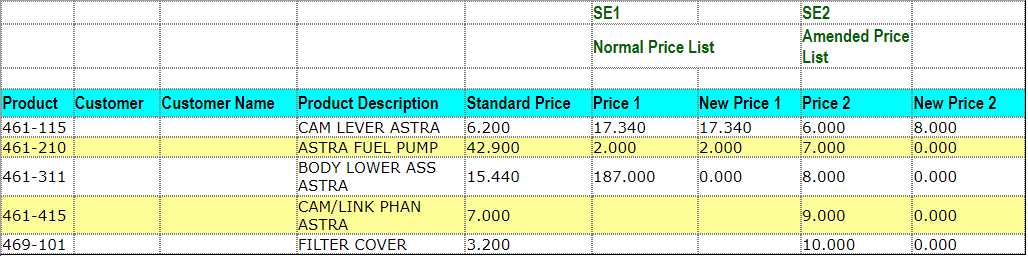
See below our sample template PriceListMultiSOPNoDates.xls. This sheet can be used to download and upload up to 2 SOP price lists at a time. It does not have promotional dates, although these can be used on multiple price lists sheets.
Note:
- Price list code are along the top of the sheet
- Prices for the same product/customer (or product/customer/promotional dates) are collated to appear on the same line on the sheet.
Downloading POP Price Lists
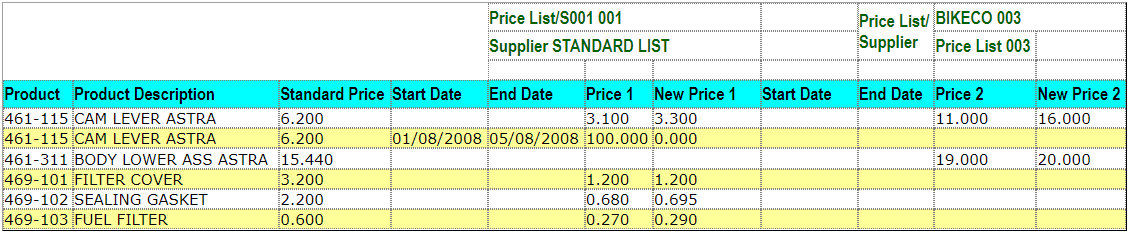
This is similar to downloading SOP Price Lists. See below our sample template PriceListMultiplePOP.xls. This sheet can be used to download and upload up to 2 POP price lists at a time. It has promotional dates.
Note:
- The price list code and supplier's code is entered into single cells at the head of the sheet.
- Each price list code has it's own start and end dates.
Downloading SOP and POP Price Lists
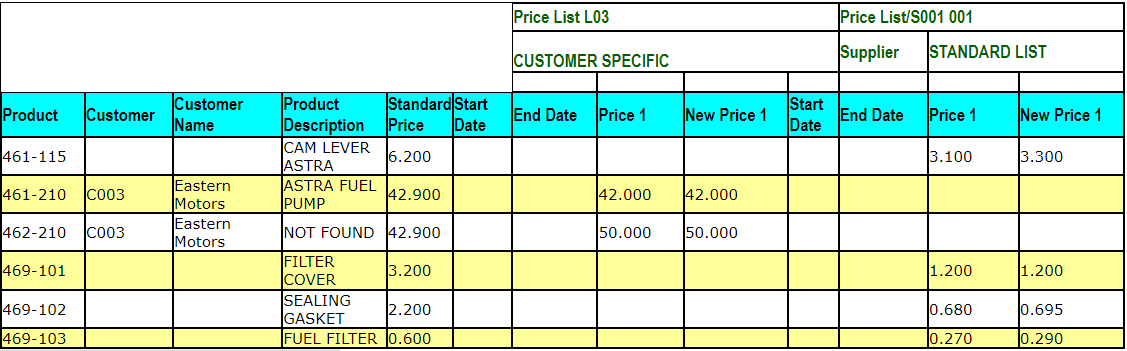
It is possible to download and upload SOP and POP Price Lists from a single sheet. Please see below our sample template PriceListSOPAndPOP.xls.