Drill Down
After downloading data, it is possible to drill down to view the transactions detail of a balance.
The screen below shows some data downloaded from Sage. On selecting the current cell, right click shows a list that includes "Drill Down"
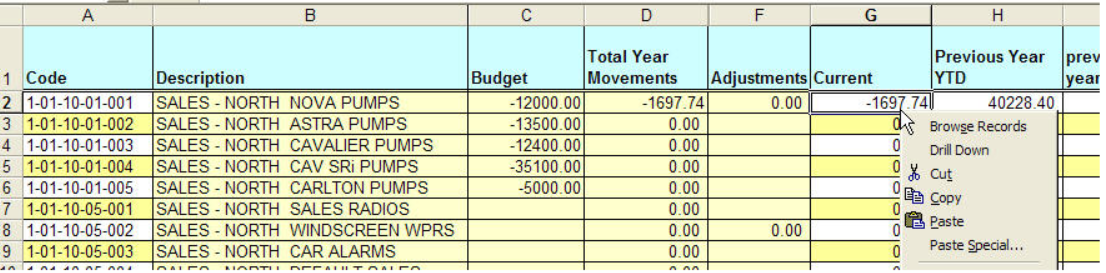
On selecting Drill Down, the transactions will be displayed:
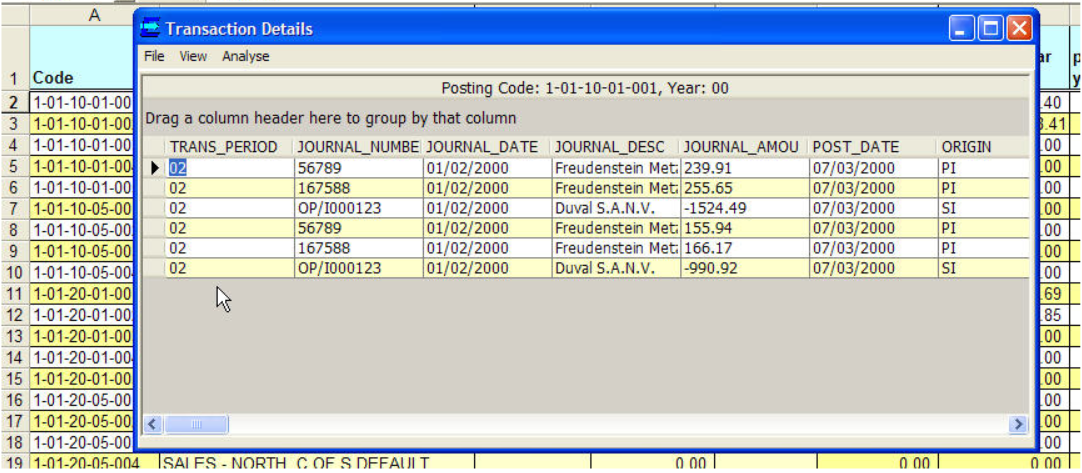
It is possible to reorder and regroup the data by dragging columns.
User can drill-down further to view the transaction group by selecting a transaction, then View > TransactionGroup.
Select Analyse to analyse and adjust this data.